
4.7 KiB
Shift
SHIFT is a convergent environment for desktops, gaming consoles, tablets, and smartphones.
What does convergence mean? This project aims to offer the same environment across different form factors, with an interface that adapts to the device, input type, and required user experience.
For example: Smartphones connected to an external display can benefit from a graphical experience change from undocked to docked, transforming the workspace from mobile to desktop. Another example: 2-in-1 laptops that convert to tablets or have 360° rotatable displays can switch the graphical interface while offering a tablet or desktop experience.
Desktop: SHIFT aims to offer a complete desktop experience, featuring a dockbar, a top bar, an app drawer, and an actions drawer with a notification history, a System Tray, and a Quick Settings Menu. The desktop experience is available in dynamic tiling mode or with classic floating windows.
Smartphone / Tablet: The environment is capable of adapting its interface to work with tablets and smartphones, adopting a touch-first interface and workflow optimized for touchscreens.
Gaming Shell: The Gaming Shell aims to be optimized for gamepad navigation, offering integration with game launchers and game centers. The gaming experience must also adapt to different factors, adapting to handheld devices and gaming stations that also serve as workstations.
Screenshot
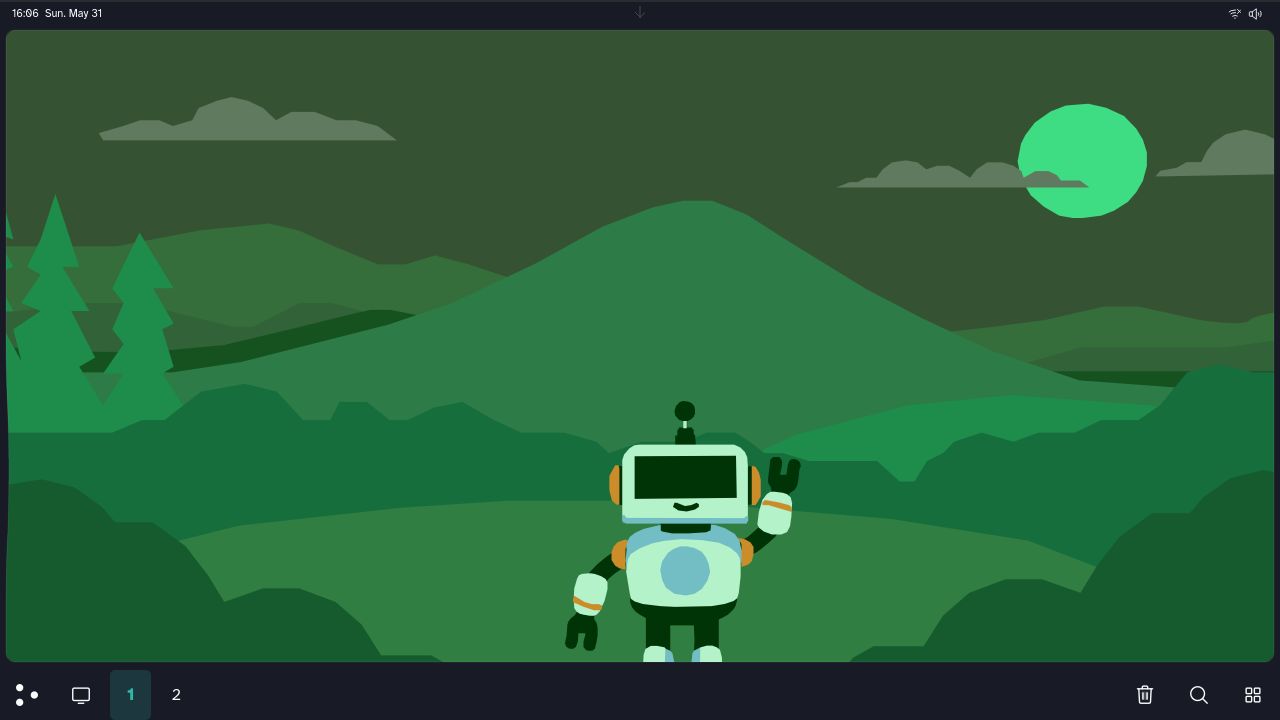
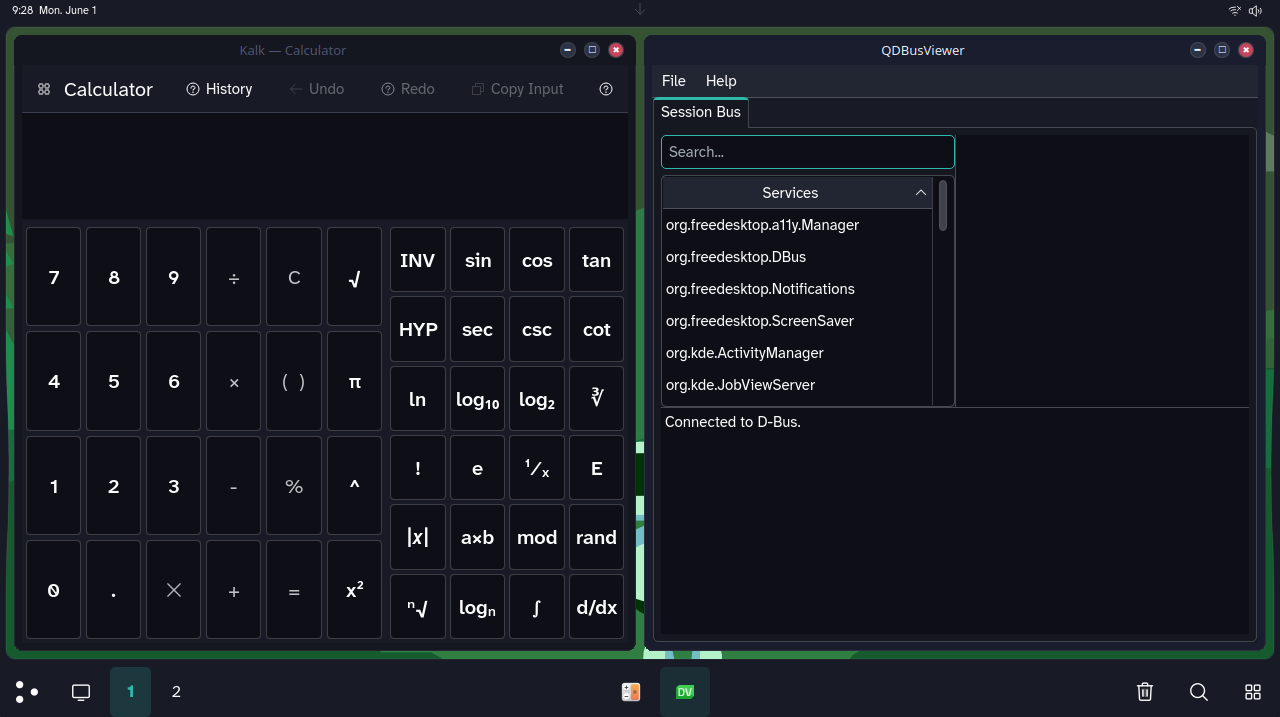
What convergence mode changes
- The old navigation panel is replaced by a unified dock that combines pinned apps, running windows, desktop pager controls, and quick actions such as Home and Overview.
- The dock supports desktop workflows: pin and unpin, drag reorder, grouped window entries, middle-click close, and thumbnail previews.
- The app drawer and action drawer run as convergence surfaces (bounded and shaped), with calendar, notifications, quick settings, and desktop-focused utility actions.
- The status bar integrates tray/date behavior for desktop usage and is coordinated with the convergence drawers and workspace chrome.
- Screen space is explicitly reserved for the dock, with geometry and input-region guards to keep overlays and windows stable.
- Window workflows are desktop-oriented: edge tiling/maximize, dynamic-tiling actions from task menus, and optional snap-layout behavior.
- Overview and virtual desktop operations are integrated into dock and drawer actions, including desktop/window management entries.
- Theme behavior is convergence-aware, with Shift defaults and wallpaper-driven dynamic theming applied to shell surfaces.
Locations
- components/mobileshell - private shell component library
- containments - shell panels (homescreens, status bar, task panel)
- envmanager - convergence mode environment manager (kwinrc, etc.)
- kwin/scripts - KWin scripts for convergence window behaviour
- kcms - settings modules
- look-and-feel - Plasma look-and-feel packages
- shell - Plasma shell package
- quicksettings - quick settings for the action drawer
Building
cmake -B build -DPLASMA_MOBILE_LOCAL_KAUTH_INSTALL=ON
cmake --build build
cmake --install build
Compatibility-sensitive identifiers such as org.kde.plasma.mobileshell
are intentionally preserved in the runtime and build instructions. They are
part of the current compatibility boundary.
SHIFT tracks plasma-mobile as its upstream base.
The upstream phone UI remains intact; convergence-specific behaviour is added on top.
Disclaimer
SHIFT is an independent project based on KDE Plasma Mobile.
It is not affiliated with or endorsed by KDE or the KDE community.
Some visual elements may originate from KDE Plasma Mobile and are used in accordance with their respective licenses. These elements may be replaced in future versions as the project evolves.
All trademarks, including KDE, belong to their respective owners.
Upstream Relationship
SHIFT is not intended as a direct contribution to KDE Plasma Mobile.
However, if parts of this project are considered useful, contributions or ideas may be proposed upstream in a collaborative manner.
See pm_README.md for the original Plasma Mobile README.
License
SHIFT-specific code is licensed under the European Union Public Licence 1.2.
Upstream files retain their original licenses (GPL-2.0-or-later, LGPL-2.1-or-later, etc.). See individual file headers and the .reuse/dep5 manifest for details.